Audio Lab - Audio Editor & Ringtone Maker1.0.1
Publisher Description

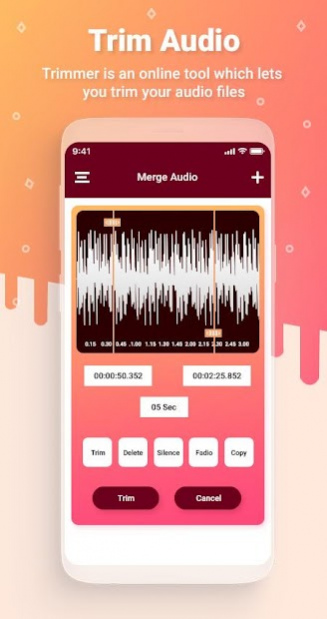


AudioLab is Most Advance, Modern, Fast, Professional Audio Editor which have all the features you would ever want.
Features like Audio Trimming ( cut / crop / copy / paste / add silence / fade / undo / redo ), Audio Mixing ( Mix Four Audio, Change Speed & Pitch, have all DJ effect options and Filters ), detailed Tag Editing, Audio Merging, Audio Recorder, Audio Converter and many more features... with Instant Preview to monitor every step of your modification make AudioLab different from other
Audio Editor is the best in class Music Editor. It has all the advance and professional music editing features like Audio Cutter to Trim and Create Ringtones, Audio Mixer to Mix Songs, Audio Merger to Combine Songs, Audio Converter to Change Audio Format, Video to mp3- a Audio Extractor and Tag Editor to Change Metadata like Album art, Album name etc.
-Looking for a Ringtone Maker or want a sound click from any Audio file?
-Want to create awesome song Mashups using a complete sound editor?
-Do you want a Video to Audio converter?
-Looking for a great song joiner to combine music?
-Want to create your own sound tracks and give them name and album art you want?
-Want to Change Format of any Audio File?
The most powerful and complete Audio Editor! It has all the features you would ever want in an Audio Editor!! Trim Audio – MP3 Cutter for Ringtones, Merge two or more audio files, Mix Audio Clips, Change Metadata fields like Art Cover, Music Album name etc, Convert from one format to another - MP3, AAC, WAV … and the list of app features goes on!!
About Audio Lab - Audio Editor & Ringtone Maker
The company that develops Audio Lab - Audio Editor & Ringtone Maker is Brave Bird. The latest version released by its developer is 1.0.1.
To install Audio Lab - Audio Editor & Ringtone Maker on your Android device, just click the green Continue To App button above to start the installation process. The app is listed on our website since 2020-06-13 and was downloaded 18 times. We have already checked if the download link is safe, however for your own protection we recommend that you scan the downloaded app with your antivirus. Your antivirus may detect the Audio Lab - Audio Editor & Ringtone Maker as malware as malware if the download link to bb.audioeditor.supersound.mp3editor.ringtonemaker is broken.
How to install Audio Lab - Audio Editor & Ringtone Maker on your Android device:
- Click on the Continue To App button on our website. This will redirect you to Google Play.
- Once the Audio Lab - Audio Editor & Ringtone Maker is shown in the Google Play listing of your Android device, you can start its download and installation. Tap on the Install button located below the search bar and to the right of the app icon.
- A pop-up window with the permissions required by Audio Lab - Audio Editor & Ringtone Maker will be shown. Click on Accept to continue the process.
- Audio Lab - Audio Editor & Ringtone Maker will be downloaded onto your device, displaying a progress. Once the download completes, the installation will start and you'll get a notification after the installation is finished.
